Local model tester
You want to inspect the 5B image-to-video model in a local or desktop-oriented environment that supports GGUF files.
You can compare local loading behavior with the broader model description before committing to a workflow.
Model format guide
This route is for understanding the GGUF version of CogVideoX 5B image-to-video rather than treating it as a generic video model. Use it to compare the entry point, prepare an image, and set realistic expectations before testing.

Related paths
The closest routes cover the model family, the input mode, and the practical tools around it. Each link answers a different question without repeating this GGUF-focused guide.
Who it suits
GGUF is best understood as a distribution and loading choice around a particular model, not as a separate creative category. These use cases show where that distinction matters.
You want to inspect the 5B image-to-video model in a local or desktop-oriented environment that supports GGUF files.
You can compare local loading behavior with the broader model description before committing to a workflow.
You are assembling a repeatable image-to-video pipeline and need to know whether the model file matches your loader.
You separate model compatibility questions from prompt, image, and motion decisions.
You are evaluating what CogVideoX represents and why a 5B checkpoint appears in different formats.
You get a concise technical starting point before reading the underlying paper or implementation details.
You already have a still image and want to understand the path from that image to a short generated sequence.
You can begin with the correct input mode instead of treating GGUF as a prompt-only text-to-video model.
Start with the basics
A reliable first test keeps the variables narrow: identify the file, provide one clear visual starting point, and describe only the movement you want to see.
Check that your chosen application or workflow supports the GGUF model format and the CogVideoX 5B I2V model family. Format compatibility comes before prompt refinement.
Use a clear image with a readable subject, stable composition, and enough visual context for the requested motion. Avoid changing the subject and camera direction in the same first test.
Ask for one primary action, such as a slow camera move or a person turning toward the lens. Review the result, then adjust one variable at a time.
At a glance
These labels help place the GGUF route within the wider CogVideoX family without implying a guaranteed speed, memory footprint, or output quality.
Format in context
The visual difference is not a promise that every run will look the same. It illustrates the role of a starting frame and the desired generated sequence.

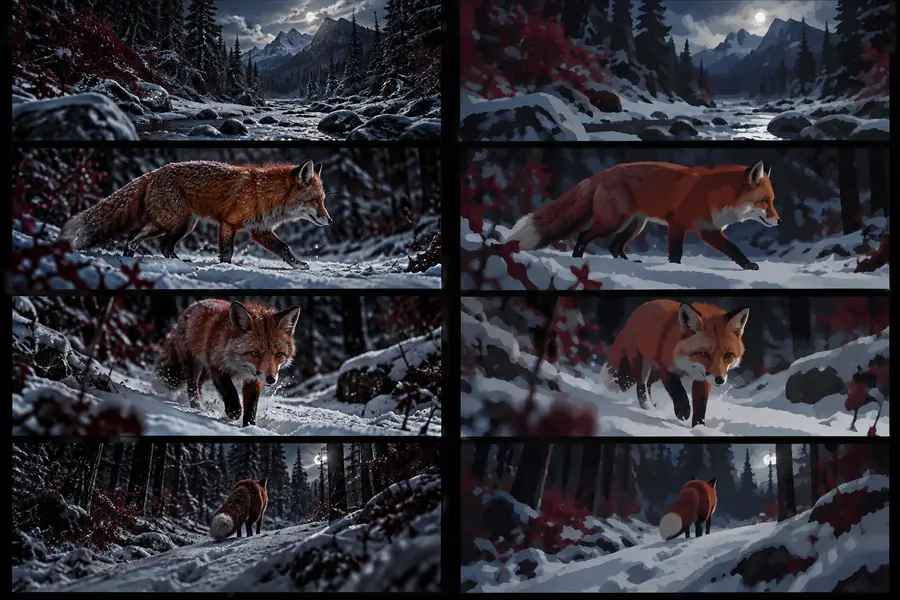
The output depends on the image, settings, loader, and prompt.
Starting pointGenerated sequenceSet expectations
The GGUF label does not remove the normal constraints of image-to-video generation, and it does not guarantee that every runtime will support every checkpoint.
A GGUF file only helps when the application or workflow knows how to load that format and model architecture.
What to do instead
Verify support in the exact tool you plan to use before downloading or configuring the model.
The generated sequence may alter faces, hands, text, fine details, or the geometry of the original image.
What to do instead
Start with simple motion, uncluttered images, and short tests before attempting complex scenes.
GGUF can change how a model is packaged or loaded, but the 5B model still has meaningful hardware and memory demands.
What to do instead
Check the runtime's documented requirements and test a small workflow before planning production use.
This route centers on an image-to-video setup, so a useful starting image remains part of the creative input.
What to do instead
Use the broader CogVideoX route when you are still deciding which input mode fits the project.
Choose your next step
If you have a compatible GGUF workflow and a clear starting image, this route gives you a focused way to evaluate the 5B I2V model. Begin with one controlled motion test, then compare the result against the broader model guidance.
Common questions
Answers to the practical questions people ask when searching for the GGUF version of the CogVideoX 5B image-to-video model.
It is a GGUF-formatted version of the CogVideoX 5B image-to-video model route. The format matters because the application or workflow must support GGUF loading, while the I2V label describes the image-based generation mode.
The main distinction is the model file format and the way a compatible runtime loads it. The underlying 5B I2V purpose remains the same, but supported loaders, memory behavior, and setup steps can differ.
Yes, the I2V route is intended to begin with a still image and generate a video sequence around it. Results depend on the starting image, requested motion, runtime, and generation settings.
First confirm that your chosen tool supports both GGUF and the relevant CogVideoX architecture. Then check its hardware guidance and begin with a simple image and one clearly described movement.